







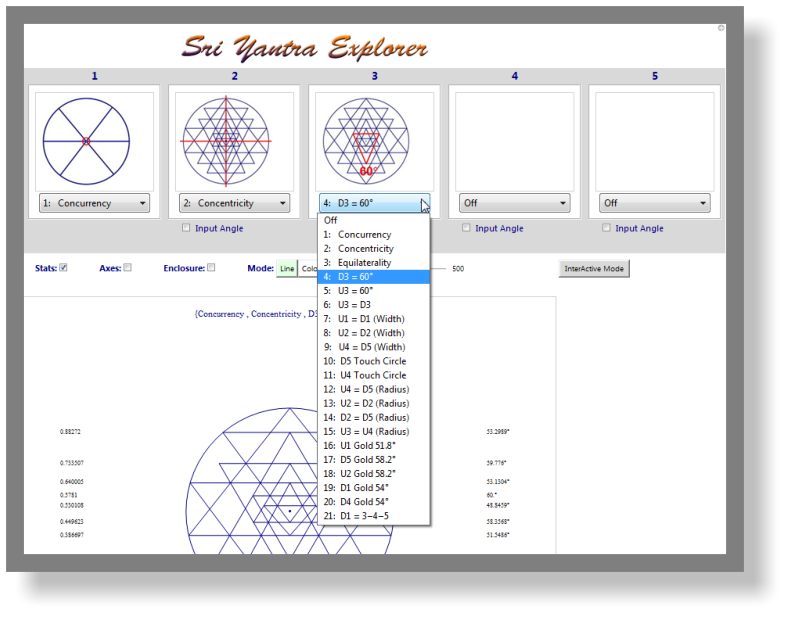
 The pre-defined constraints
make it easy to build a Sri
Yantra. Use one or as many as
five of the 21 pre-defined
constraints.
The pre-defined constraints
make it easy to build a Sri
Yantra. Use one or as many as
five of the 21 pre-defined
constraints.
 For the control freak we offer the
possibility to shape any of the
nine primary triangles with
custom angles.
For the control freak we offer the
possibility to shape any of the
nine primary triangles with
custom angles.
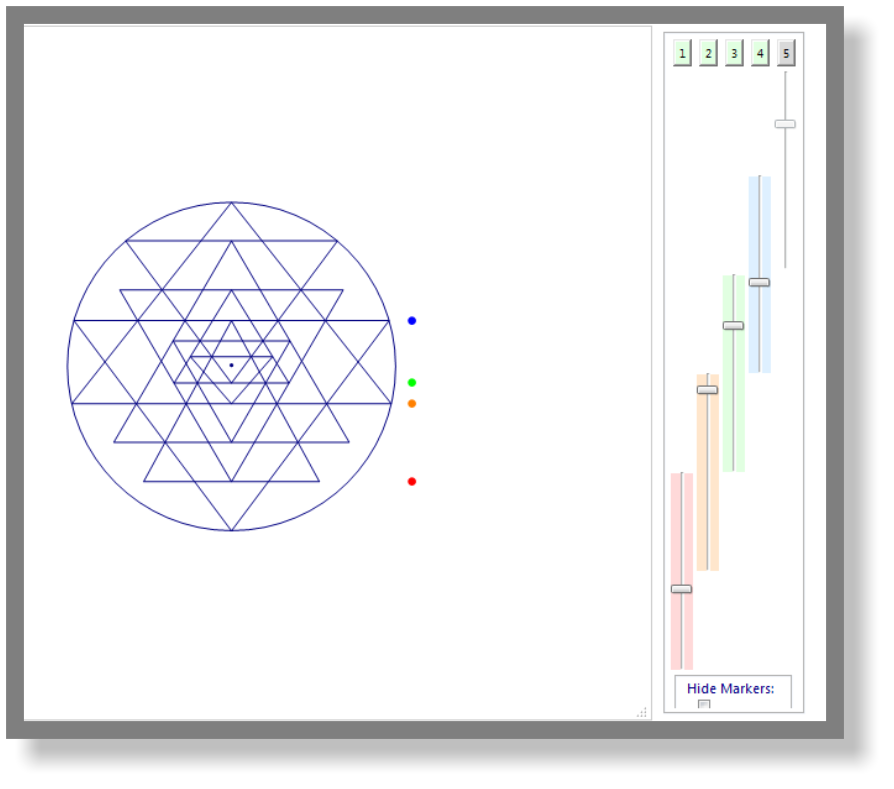 In the interactive mode you can
shape the Sri Yantra in real time.
Move any of the five key lines and
the program redraws a correct
configuration immediately.
In the interactive mode you can
shape the Sri Yantra in real time.
Move any of the five key lines and
the program redraws a correct
configuration immediately.




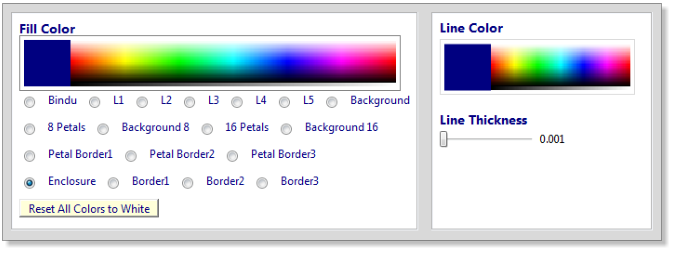
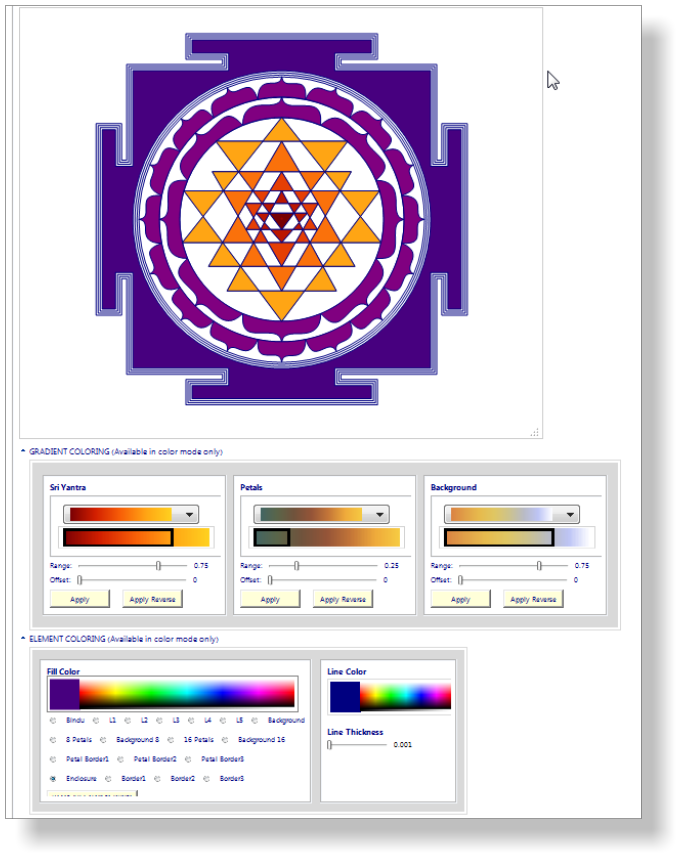
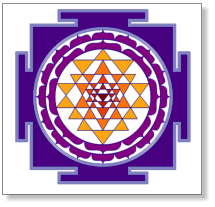 The element coloring feature allows you to easily
color any part of the Sri Yantra using the color
picker bar. You first select the item you want to
color in the list and then you click on the color
picker to select the color. The color appears
instantly in the Sri Yantra.
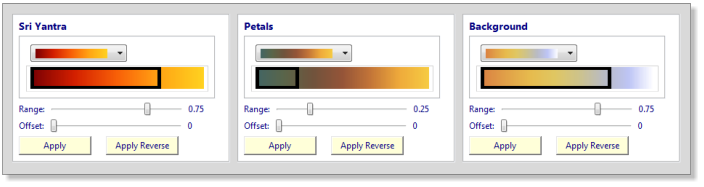
There is so much that can be done with flat
colors. Let you creativity take off with
gradient coloring. Get spectacular results
with the easy interface that allows to color
the Sri Yantra, the petals and the enclosure
using gradients of your choice.
The element coloring feature allows you to easily
color any part of the Sri Yantra using the color
picker bar. You first select the item you want to
color in the list and then you click on the color
picker to select the color. The color appears
instantly in the Sri Yantra.
There is so much that can be done with flat
colors. Let you creativity take off with
gradient coloring. Get spectacular results
with the easy interface that allows to color
the Sri Yantra, the petals and the enclosure
using gradients of your choice.
 Now that your masterpiece is complete
you are ready to save it in any of the
following formats:
picture:
jpg, gif, png, tiff
vector:
svg
document:
pdf
web:
html
You can save your image in size 500 to 5000 pixels.
Now that your masterpiece is complete
you are ready to save it in any of the
following formats:
picture:
jpg, gif, png, tiff
vector:
svg
document:
pdf
web:
html
You can save your image in size 500 to 5000 pixels.
 Coloring with
gradients
Coloring with
gradients


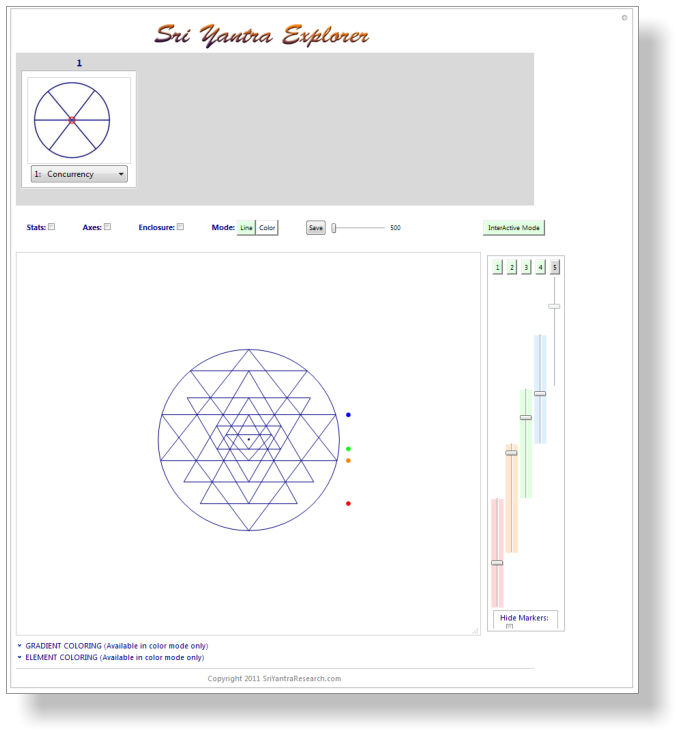
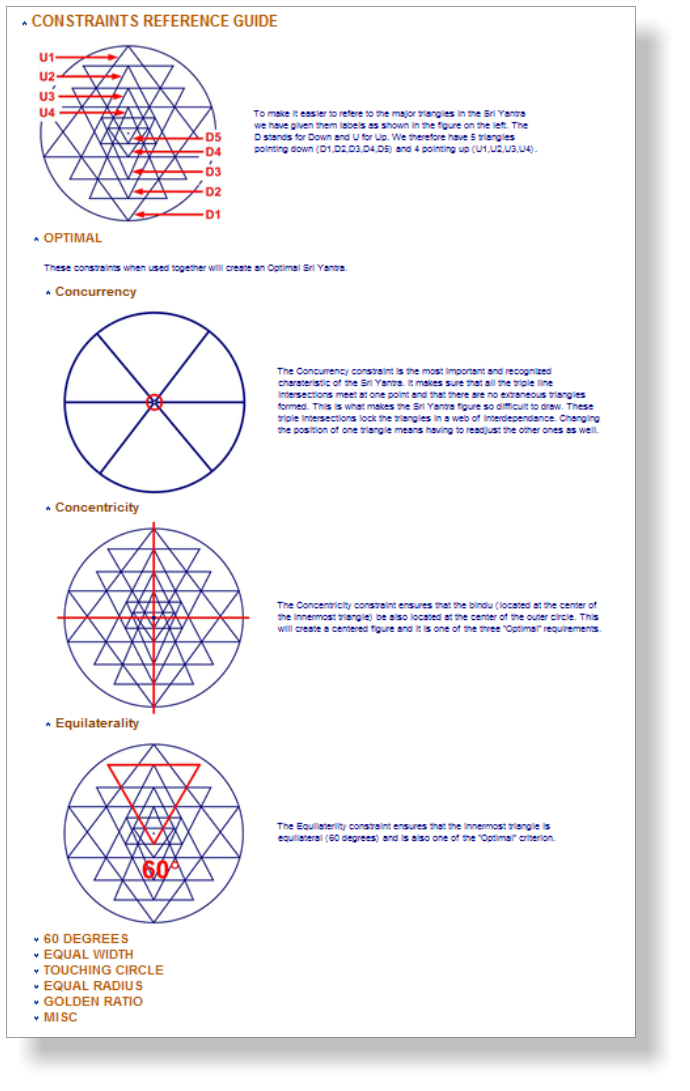 Interface
Layout
Shaping with
Constraints
Interactive
shaping
Constraints
reference guide
Click on icons to zoom.
Interface
Layout
Shaping with
Constraints
Interactive
shaping
Constraints
reference guide
Click on icons to zoom.



 Shaping
Coloring
Saving
Screen shots
$ 45
Shaping
Coloring
Saving
Screen shots
$ 45